There are already apps for learning a language by reading books, but when I started using one of them, I soon got frustrated by the quality. The word translations were simplistic and ignored the context, and the text-to-speech was disappointing. The biggest frustration came when I realised, well into a book, that I was not reading the original at all, but a simplified version of it. That was the moment I decided to build my own app, using state-of-the-art AI to get the best quality I could, both for the translations and for the audio. This post is a behind-the-scenes look at how I climbed towards that quality, and at the trade-offs along the way, because every step up came with a price tag.
Processing a book
Early on I decided to focus on the most popular books from the public domain, in their original language, so that nothing gets lost in translation. The first step is splitting a book into sentences and words. That sounds easy, but it is surprisingly tricky once you take into account quotes, dialogue, abbreviations, and all the artefacts of old scanned editions. I use the industrial-strength natural language processing library spaCy for this, with custom rules and fixes for each language.
spaCy is very good, but far from perfect. It happily cuts a quoted line of dialogue into several fragments, so I wrote a rule that glues them back together while a quote is still open. German capitalises every noun, so spaCy now and then takes an ordinary word like Wolf for a name. And old editions mark dialogue with a double dash, which spaCy once read as part of the next word and turned into the nonsense word --aver. Luckily, most of the remaining imperfections are benign, because the language model that later reads the sentence recognises them and compensates.
Translating every word
The next step is to translate every sentence, every word in it, and (to make it a bit more fun) to write an in-depth note on the grammar the sentence uses. My first version only explained the rare, difficult words, which sounded sensible until I asked myself who decided that the common words are not worth explaining. The common words are often the hardest ones. In German, doch can mean "after all", schon can mean "certainly" rather than "already", and als is "when", "than" or "as" depending on the sentence. In Jules Verne's Vingt mille lieues sous les mers, mille is "thousand" in the title and a "nautical mile" a few pages later. So now every word gets an entry, explained in the context of its sentence. That roughly tripled the work per sentence, and with it the cost.
All of this needs two ingredients: a large language model and a prompt. To compare models I used OpenRouter, which lets you call many models through one interface. It was convenient for finding the best one, but I soon ran into its issues. In one test, I believed I had pinned a single provider, only to find out that my sentences had been served by four different providers, and the cheapest of them made most of the mistakes. Since then I call the model makers directly in production.
For multilingual work, the best model turned out to be OpenAI's gpt-5.5. Unfortunately, it was also far too expensive for a free app: about $300 to prepare one novel of 5,000 sentences, even with the discounted batch mode. I ended up with DeepSeek V4.1 Flash, which costs about a tenth of that. Its translations, of whole sentences as well as of single words, are just as good. Where it falls behind is the grammar: in my tests, about 2 in 100 word entries carried a real mistake in their grammar note, against 1 or 2 in 1,000 for gpt-5.5. I still use gpt-5.5 as the fallback for the longest sentences, for the ones where DeepSeek's answer fails my checks, and as the judge when I tune the prompt.
How do you measure quality?
The hardest part was not picking a model, but finding out how good it really is. I started with 50 sentences from Grimm's fairy tales and from Verne, ran every candidate model on them, and had every answer reviewed word by word. Some of the mistakes were funny. Kulammak and Umgullick, two Aleutian islands, became "names of whale species". The French article la in front of cervelle (brain) was translated as "brain; mind". One model insisted that German has a "modern" form gebackt, which it does not.
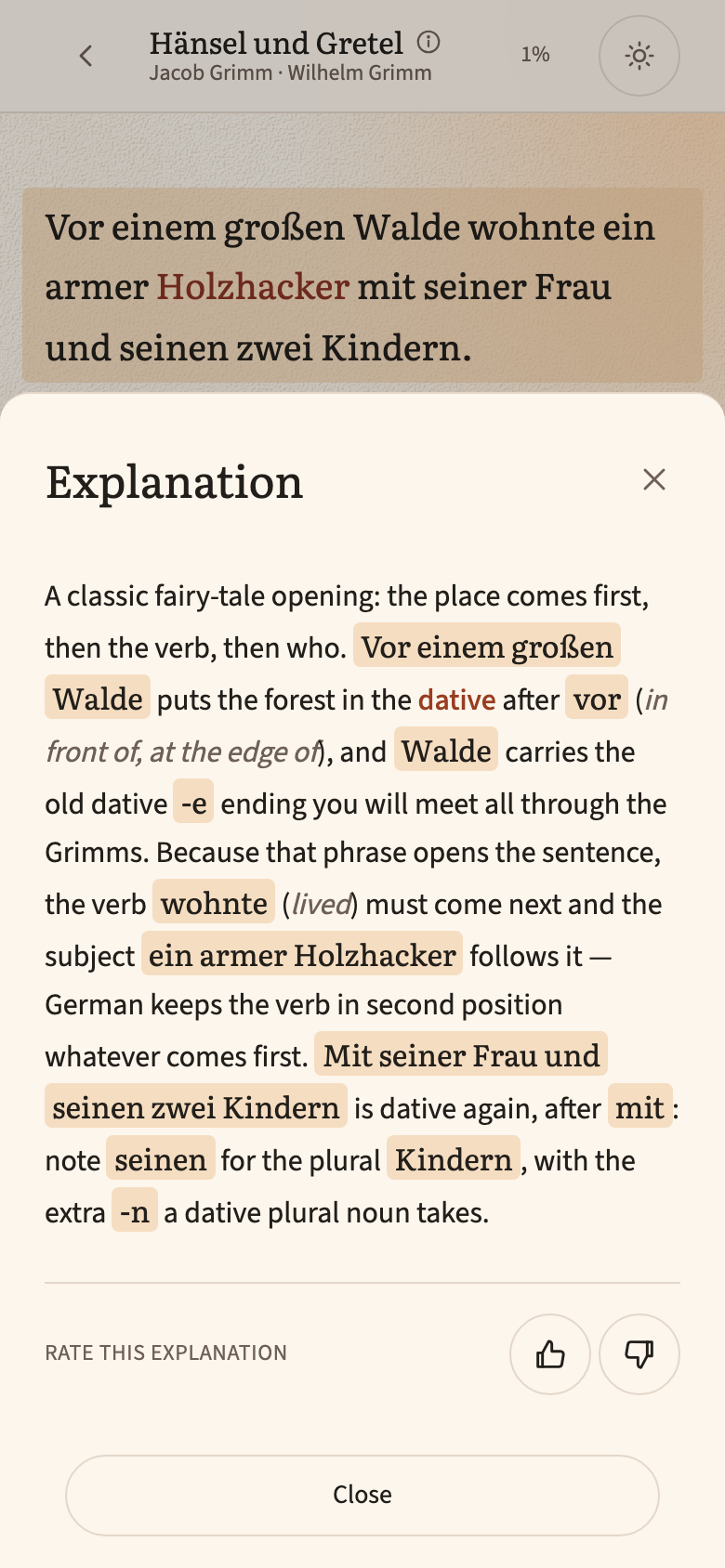
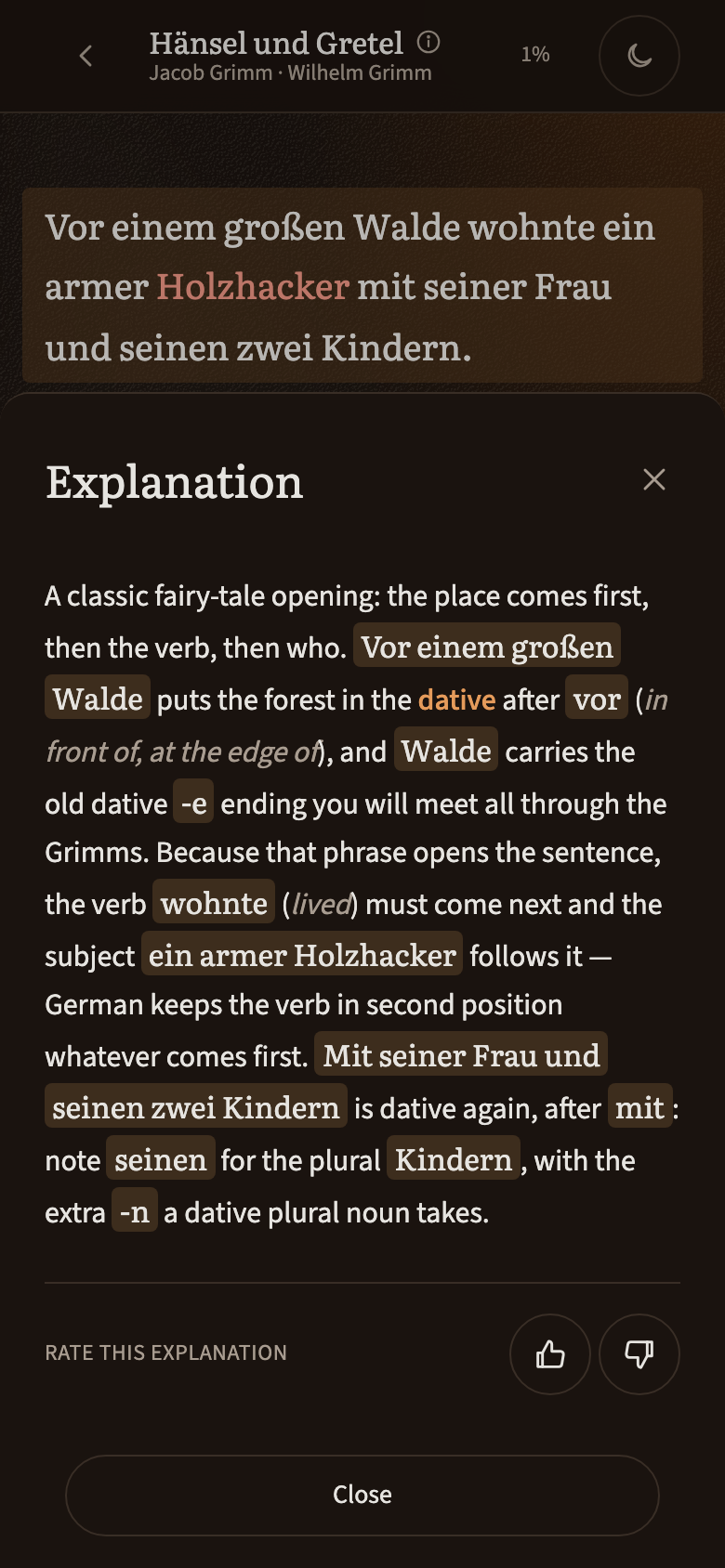
The first two were early slips that a single line in the prompt fixed for good. After that, the translations were almost perfect: across roughly 200 sentences reviewed in the later rounds, not a single sentence translation had a real error, and the words were translated correctly in context, even the tricky ones. Nearly every remaining mistake sat in the grammar notes, so that is where the hillclimbing happened.
I worked on the prompt one fix at a time, and it worked remarkably well for mistakes that follow a procedure. Telling the model to recognise the subjunctive käme by its stem, or to tell a relative clause from a main clause by the position of the verb, made those mistakes disappear. It did not work for mistakes that come from what the model wrongly believes. When I added a line explaining the French pronouns y and en, DeepSeek promptly applied the rule the wrong way round.
The most humbling moment came when I tested on fresh sentences. On my 50 sentences, the mistake rate had dropped to 0.19%. On 50 sentences the prompt had never seen, it was 1.4%. I had been tuning the prompt to my test set, a classic mistake I should have known better than to make. Since then, every change is measured on sentences drawn at random from books it was never tuned on.
I also tried letting gpt-5.5 check DeepSeek's work. It caught 87% of the known mistakes, but checking a whole novel would cost around $200, more than having gpt-5.5 write everything in the first place. So it stays a measuring instrument, not part of the production line. On top of that, every answer goes through automatic checks before it reaches the app. One of them caught an invisible zero-width space hidden inside the German word kühl, which would have quietly broken tapping on that word.
The result is not perfect, and I would rather be honest about it: the app says that the AI-written notes can contain mistakes, and every note has a thumbs up and a thumbs down. Your thumbs down are the best way for me to find the mistakes that slipped through.
Text-to-speech
At first I used ElevenLabs studio-quality voices. The audio was amazing, but since every book has its own voices, it varied quite a lot from book to book: some narrators were slower, some faster. I was still very happy with ElevenLabs until Google released Gemini 3.8 Flash text-to-speech. I recorded the same few sentences with every candidate voice of both vendors and compared them by ear, and the Gemini voices won. Gemini also takes a short instruction on how to speak. The whole catalog now uses the same one, "Calm, unhurried literary narration, as in an audiobook", which made the pacing far more consistent across books.
It is also much cheaper: about $20 to voice a whole novel, against roughly $120 with ElevenLabs. That price includes a 50% promotional discount that runs until December 31, 2026. Next year the price doubles, which puts some pressure on me to record as much as possible this year.
Generative voices have their own quirks. Now and then a recording stops halfway or keeps talking, so every clip that is spoken implausibly fast or slow is thrown away and recorded again. And Google's safety filter refused a few passages outright, among them the parents' plan to abandon their children in Hänsel und Gretel. Those passages are now recorded in smaller pieces and joined back together, so you hear the story exactly as the Brothers Grimm wrote it.
The Beletria app is at app.beletria.com. It is free, has no ads, and is made in Zürich, Switzerland.